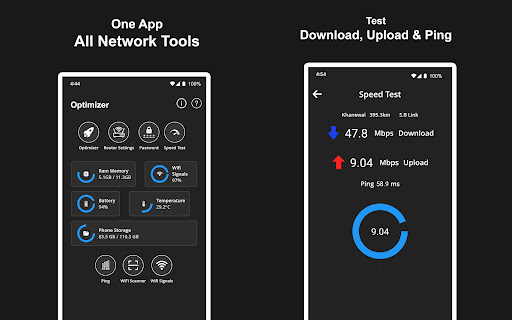
Internet Optimizer runs speed test reduce lag check wifi speed and monitor ping
Internet Optimizer is designed for managing, analyzing, and monitoring your internet connection. Whether you're experiencing unstable ping, slow browsing, or lag during gaming, this app provides features to help you understand your network and WiFi performance.
Key Features 1. Internet Optimization Use internet optimizer to analyze your connection. Run an internet speed test to measure performance. Measure upload and download values using internet speed meter.
2. Ping & DNS Check your network with ping test. Evaluate latency using pinger.
4. Network Monitoring Analyze your wireless network using WiFi signal strength features. Use WiFi scanner to view connected devices. View signal activity using WiFi signal analyzer. Understand network behavior using internet analyzer and connection analyzer.
5. Network Health Monitoring and Diagnostics Perform testing with network diagnostics. Evaluate performance using internet connection test and connection quality check.
Practical Use Cases Check latency values during online gaming Scan connected devices on your WiFi network Monitor network behavior and signal quality Troubleshoot connectivity issues
Compliance Notice This app does not claim to increase performance beyond your service plan or hardware limits. It provides diagnostics and controls for better understanding and management of existing network behavior.
Internet Optimizer is designed for users who want visibility into their network. Whether you're monitoring packet loss, WiFi signal strength, or evaluating performance, this app focuses on analysis and diagnostics.