Terminal emulator for serial devices connected with USB
UsbTerminal is a terminal emulator (sometimes called "monitor"). It is intended to be used with a physical connection to the device via the phone or tablet’s USB port. The phone or tablet must support USB-Host Mode a.k.a USB On-The-Go (USB-OTG), and a USB-OTG cable is required. Typical use-cases for this app are: ● Controlling an IoT device like an Arduino, ESP32, etc ● Controlling a communication device such as a router that has a serial console connector (this may require a USB to RS232 converter cable)
UsbTerminal is open-source. See https://github.com/liorhass/UsbTerminal
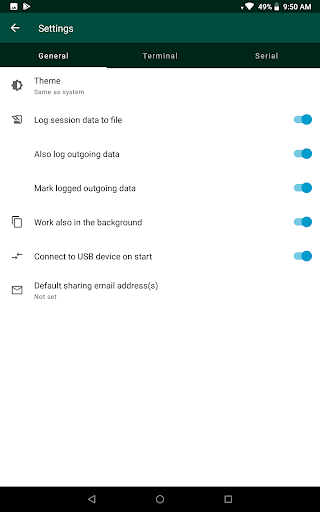
Features: ● Support devices with the following USB to Serial protocols/chips: CDC-ACM (e.g. Arduino Uno R3), FTDI (FT232R, FT232H, FT2232H, FT4232H, FT230X, FT231X, FT234XD), Prolific PL2303, CH34x, Silabs CP210x (e.g. ESP32 dev boards from Espressif) ● Support two keyboard input modes: 1. Auto - Like on a “real” terminal, there is no dedicated input field. Characters are sent to the serial device immediately as keys are clicked on the keyboard. This is the default mode. 2. Dedicated input field - Keyboard input goes to a dedicated input field and is sent to the device only after a “Send” button is pressed. ● Partial support of ANSI/VT100 escape sequences including text coloring ● Two display modes: Text and Hex ● Background communication - the app can maintain connection and continue receiving data even when it is in the background ● Log sessions to files. These log files can then be viewed or shared in order to be analyzed with external tools ● Sending control character (e.g. Ctrl-C) ● Controlling of DTR and CTS ● Large scroll-back buffer ● Blinking cursor ● Status line indicating connection state, error messages, screen size, cursor location and display mode ● Built-in help ● Built-in shortcuts to reset an Arduino and ESP32 dev boards ● No root required ● No special permissions required
A note to Arduino users: One advantage of UsbTerminal is the way it handles DTR. Typically when an Arduino board is connected to a PC, it will reboot every time a terminal emulator application is connected to it. This is because the PC drops the DTR signal low whenever a connection is formed, and Arduino is designed to reset when DTR line is dropped low. UsbTerminal on the other hand, doesn’t automatically set or reset the DTR signal. When you connect a phone or tablet to an Arduino and open UsbTerminal, your Arduino continues whatever it was doing at the time. If you want it to reboot, you can easily control the DTR signal from UsbTerminal with a dedicated button.